


I’m driving home from a client meeting with three ideas in my head and 35 minutes of road ahead of me.
It’s the middle of the afternoon and my phone rings. Dave.
He’s not calling to say hello. He’s in one of those frustrated founder panics where five thoughts arrive before the first sentence is finished.
“How the hell are you getting so much done with AI?”
Then he starts telling me how good he’s gotten at using it.
I love Dave. He was my first cofounder. He’s a serial entrepreneur and one of the smartest people I know. I also don’t have the heart to tell him he’s using billion-dollar alien technology like a glorified Google search.
So I tell him my actual secret. It isn’t a better prompt or the flux capacitor agentic widget of the week.
It’s the spaces in between.
The 20 minutes before pickup. The drive home. The gap between a client meeting and dinner. The parts of the day where I’m technically unavailable to sit at a computer but my brain is very much still working.
Dave immediately pushes back.
“That’s my problem. I’m driving all the fucking time.”
Exactly. For years, my car was a coffin. Not because it was dangerous, but because that was where usable time went to die. I’d leave a meeting with three ideas in my head, get in the car, drive 30 minutes, get home, get ambushed with family sh*t to do, and maybe remember one of them the next morning.
If I was disciplined, I’d record a voice memo.
Then six months later I’d find it beside a recording of my son singing about chicken nuggets (the ones shaped like dinosaurs).
My problem wasn’t that I had no time. It was that I didn’t have a good interface for the time I already had. So I started building around that.
And because Dave is Dave, our conversation eventually turned into me building him a ridiculous version of the same thing.
He can call a phone number and have a conversation with his own agent. It sounds nearly indistinguishable from Scarlett Johansson. It knows enough context to help him think, capture ideas, orchestrate tasks, book and rebook meetings, remember commitments, and keep track of the things he would normally have to sit down at a computer to deal with.
It’s custom.
It’s complicated.
It’s expensive.
It’s luxury software.
And it works because Dave understands the power and the cost of luxury software - he understands that the expensive part isn’t always the software. Sometimes the expensive part is dropping the ball.
But you do not need my setup. You don’t need Vapi. You do not need to build an agent. You don’t even need a Tesla.
You can get 70 percent of the interesting part with the phone already sitting in your pocket.
Voice is the new keyboard.
And once that happens, a bunch of places we used to think of as unusable suddenly become interfaces.
This is bigger than dictation
One of my friends, Tanay Kothari, co-founded Wispr Flow. If you haven’t used it, Flow takes the messy way people actually speak and turns it into clean text inside the apps they already use.

The interesting part isn’t just transcription quality. It’s what happens to behavior once speaking becomes good enough to replace typing.
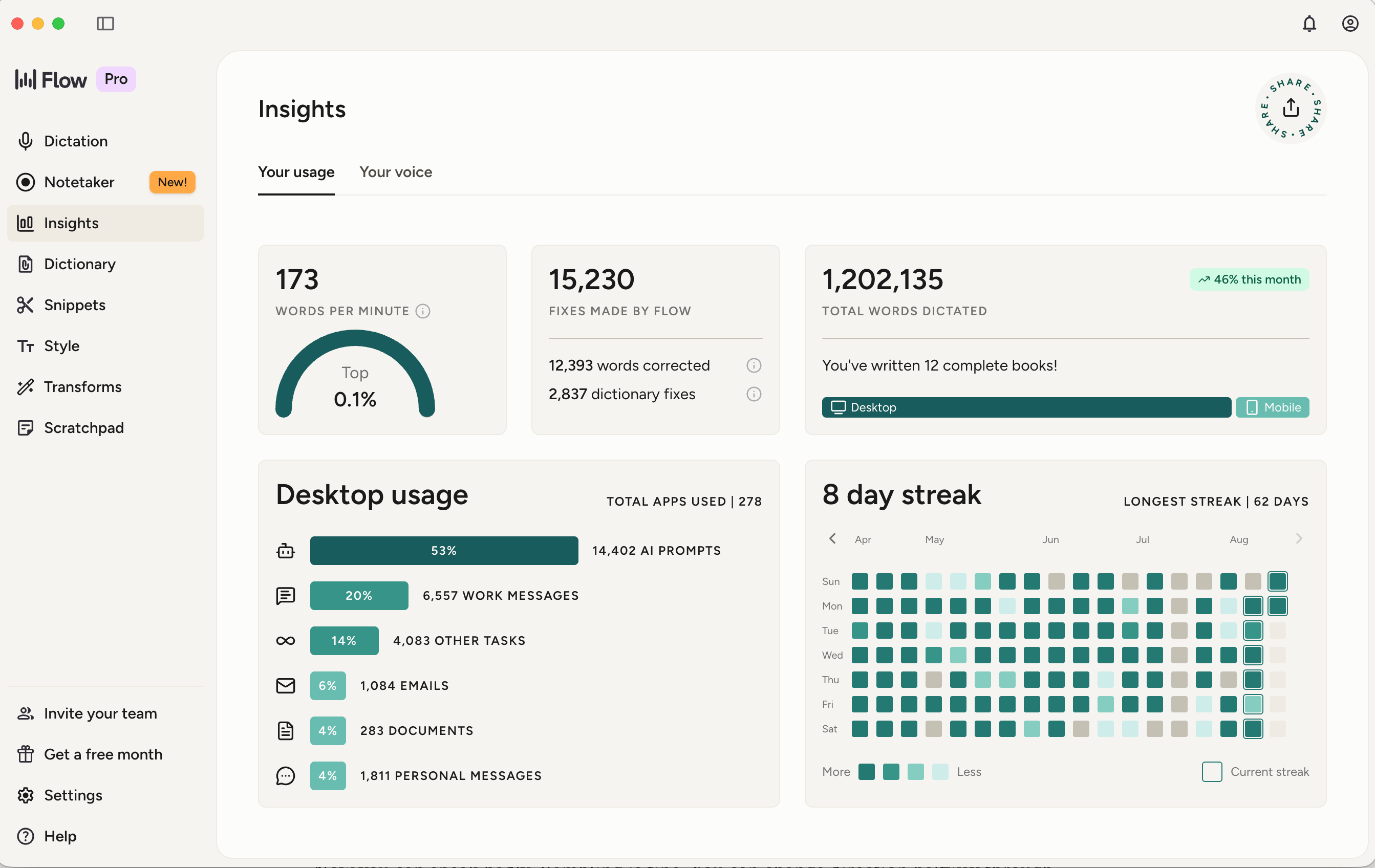
Wispr currently says Flow can turn speech into text at roughly 220 words per minute versus about 45 words per minute on a keyboard. In March, the company said Flow had reached hundreds of thousands of daily active users and was growing around 40 percent month over month. Wispr has also reported that after six months, its average user produces nearly three-quarters of their characters through voice. These are Wispr’s own numbers, but the behavioral shift behind them is what interests me.
People aren’t just occasionally dictating an email. Their default input method is changing. That matters because keyboards created an invisible boundary around serious computer work.
A screenshot of my actual stats from Flow: (insane, I know)
You could think anywhere. But if you wanted to turn the thought into something useful, eventually you needed to sit down.
AI changes the second half of that equation.
Now you can speak badly. Rambling is fine. You can change direction halfway through a sentence. You can say, “Wait, that isn’t actually the problem.” The machine can follow the thread, ask the next question, bring in context, organize what happened, and leave you with something usable.
That’s not voice-to-text.
That’s my new interface for thinking.
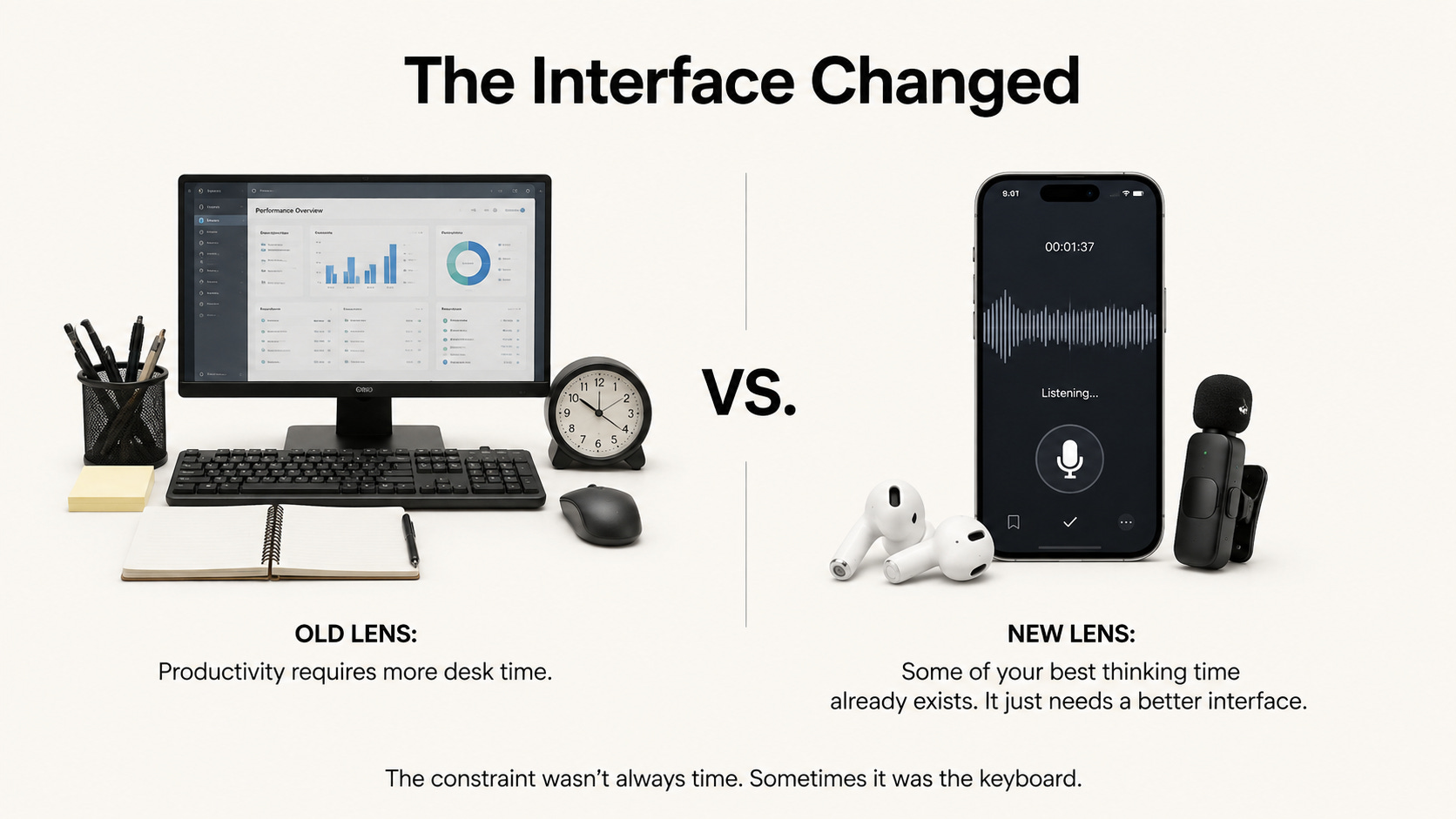
You can build the cheap version today
The version we built for Dave is the Millennium Falcon.
Don’t start with the Millennium Falcon. Start with a bicycle.
For this tutorial, I’m going to use Claude because something important has changed: Claude Voice can now use the same model families available in text chat, switch between voice and text inside the same conversation, and use connected tools such as Gmail, Google Calendar, Google Docs, and Slack while you’re talking.
I still prefer ChatGPT for certain kinds of pure voice conversation. But there’s an important limitation as I write this: standalone ChatGPT Voice currently does not support connected apps. You can talk, use memory and web search where available, move between voice and text, and continue inside the same chat, but connected apps aren’t available inside standalone Voice yet.
So Claude currently gives us the cleaner path for the system I’m about to show you.
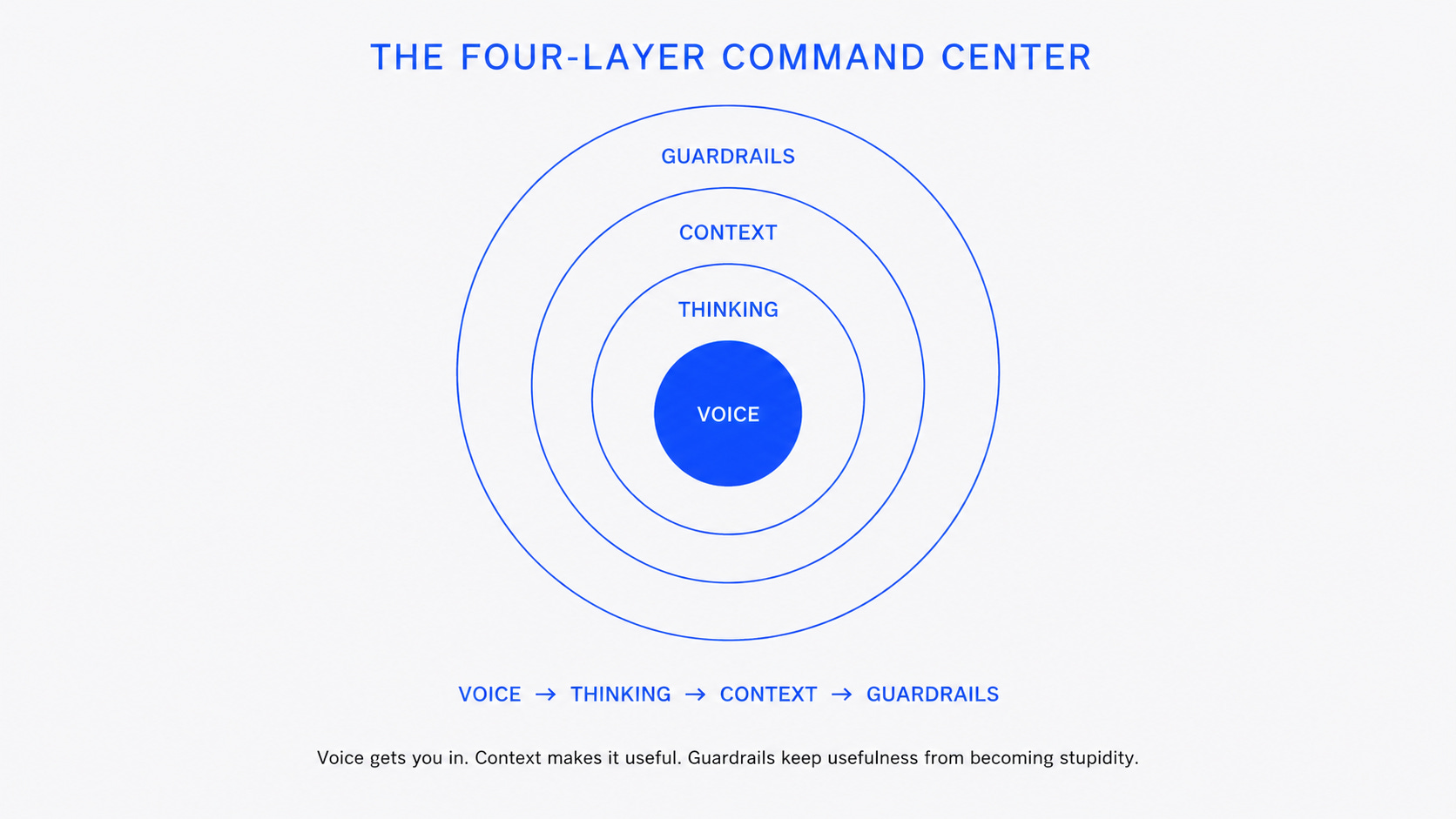
The basic version has four parts:
A voice interface
A model that understands how you think
Access to the right pieces of your context
Very clear boundaries around what it can do
That last one matters.
I’m building a command center. Not a digital chauffeur with access to my bank account.
Build the shell
Open Claude and create a new Project.
Projects are now available across Claude plans, including free accounts. Free users can currently create up to five.
Call yours whatever feels natural:
Personal Command Center
Drive Mode
Thinking Partner
The Cockpit
Rolling Brain
The name matters less than you think.
In fact, Claude’s own documentation points out something slightly weird: Claude does not automatically receive the Project name or description as context. Anything you actually want the model to know needs to live in the Project Instructions or knowledge base
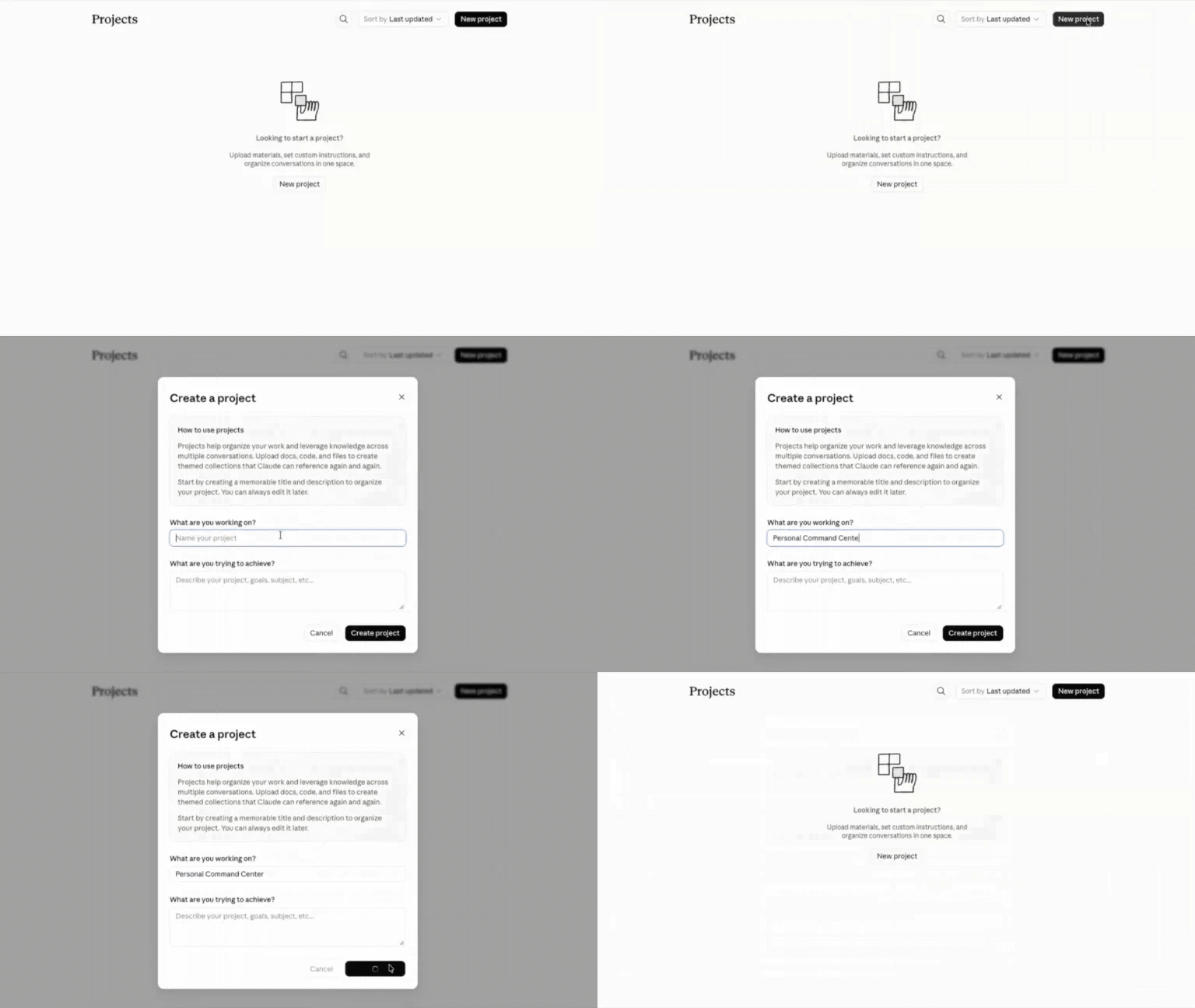
Create the Project.
For now, leave the Project Instructions blank.
Most people do the opposite. They start by dumping a giant autobiography into that box. That usually gives you a bloated pile of biography, temporary problems, preferences you don’t actually care about, and contradictions you forgot you wrote.
I’d rather have the machine interview me first.
Teach it how you think
Your job title is almost useless context. Knowing that I’m an entrepreneur or creative strategist does not tell a model how I actually make decisions.
It doesn’t know that I tend to think out loud. It doesn’t know that I often discover the real problem halfway through explaining the surface-level one. It doesn’t know whether I want reassurance or an argument. It doesn’t know which problems in my life are permanent and which ones are just this week. It doesn’t know when I want a sharp answer, when I want a sparring partner, and when I need it to shut up and let me finish the thought.
So we teach it.
Start a new chat inside your Personal Command Center Project and paste this:
You are the architect of my Personal Command Center.

This will become a voice-first AI workspace that I use from my phone and car to think, plan, prepare for conversations, make decisions, capture ideas, and turn raw thoughts into useful work.

Your first job is not to advise me.

Your first job is to interview me deeply enough to understand how I work, think, communicate, and make decisions.

## Interview behavior

- Use the AskUserQuestion tool when it is available.
- In regular Claude chat or voice mode, ask me one question at a time and wait for my complete answer.
- Ask between 12 and 18 primary questions.
- Do not show me the entire question list in advance.
- Start with easy factual questions, then move toward patterns, contradictions, preferences, fears, blind spots, and examples.
- Borrow the mechanics of strong long-form interviewers such as Katie Couric, Howard Stern, and Joe Rogan. Use warm entry, close listening, precise follow-ups, and curiosity about contradictions. Do not imitate anyone’s personality or speaking style.
- Ask for specific examples whenever my answer is abstract.
- Follow interesting threads instead of rigidly completing a questionnaire.
- Distinguish between stable traits and temporary circumstances.
- Do not turn the interview into therapy.
- Do not flatter me or tell me that every answer is insightful.
- After every four or five questions, briefly summarize what you believe you have learned. Ask me what you misunderstood or missed.
- Preserve memorable phrases I use naturally.
- Do not write the final instructions until I say: “Build my command center.”

## Topics to understand

Learn enough to understand:

- The roles I play in my professional and personal life
- The work I am responsible for each week
- The decisions that consume most of my attention
- My current goals, commitments, and pressures
- How I naturally solve problems
- How I respond to uncertainty
- Whether I think best through talking, writing, examples, debate, diagrams, or data
- What makes advice feel useful or useless to me
- How directly I want to be challenged
- The mistakes or avoidance patterns I repeat
- How I communicate with clients, coworkers, family, and collaborators
- My preferred level of detail
- My preferred tone and language
- The tools where my calendar, meetings, documents, and tasks live
- The information I consider sensitive
- The actions an AI should never perform without explicit confirmation
- What I want this system to help me accomplish during a typical drive

## Final deliverables

After I say “Build my command center,” produce the following:

### Cognitive profile

Write a concise profile explaining:

- How I appear to think
- How I make decisions
- Where I create the most value
- Where I may get stuck
- How an AI partner can be most useful to me

Do not diagnose me. Do not invent facts.

### Project Instructions

Create one clean markdown block that I can paste directly into Claude Project Instructions.

Keep the instructions under 5,000 characters.

The Project Instructions must define:

- Claude’s role inside this Project
- My relevant context
- My goals for the Project
- How Claude should ask questions
- When Claude should challenge me
- How Claude should handle uncertainty
- How Claude should preserve my voice
- My preferred response length and structure
- How Claude should behave during voice conversations
- Which actions require explicit approval
- Which actions Claude must never take
- How Claude should separate facts, assumptions, and recommendations
- How Claude should maintain and update durable context

Include a dedicated Drive Mode.

In Drive Mode:

- Keep spoken responses under 90 seconds unless I request more depth.
- Lead with the most useful point.
- Ask one question at a time.
- Never ask me to read, tap, compare visual options, or look at the screen while driving.
- Do not overwhelm me with long lists.
- Allow me to finish long thoughts without interrupting.
- When I am thinking out loud, do not rush to solve the problem.
- Summarize important decisions and ideas for review after the drive.
- Require explicit confirmation before using any tool that changes, sends, deletes, purchases, publishes, or schedules something.
- When a task needs visual attention, capture it for later rather than walking me through it while I am driving.

### Starter commands

Give me 10 short voice commands I can use immediately inside the Project.

Include commands for:

- Starting Drive Mode
- Receiving a daily brief
- Preparing for a meeting
- Thinking through a decision
- Capturing an idea
- Developing an article
- Reviewing commitments
- Ending a drive
- Producing a post-drive summary
- Updating my Project context

### Assumption check

List three things Claude still does not know about me and should never assume.
Don’t do this interview while driving. Do it at home. Take your time.
Correct the model when it gets you wrong.
Those corrections are often more valuable than the original answers because you’re teaching the system the difference between something that sounds plausible and something that is actually true about you.
When you’re done, say:
Build my command center.
Claude will produce your Project Instructions.
Copy them. Open the Project.
Select Set project instructions.
Paste them in.
Save.
Claude also lets you add files and other material to the Project knowledgebase, and those materials are available across chats in that Project.
Even with newer memory features arriving in Claude, I still treat important context like infrastructure.
If I need the system to know something tomorrow, I put it somewhere durable.
I don’t cross my fingers and hope it remembers.
Turn on Drive Mode
Do this before the car moves.
Open your Project and select the model you want.
For most normal drives, I use Sonnet. It’s fast enough to feel conversational and capable enough for serious work. For a hard strategic problem, delicate negotiation, or deeper creative session, I’ll sometimes move up to Opus.
Claude Voice now uses the same model families available in text chat, and you can change models during a voice conversation.

Then tap the waveform icon.
Claude supports both hands-free and push-to-talk voice modes. Hands-free listens for natural pauses; push-to-talk is useful when the environment is noisy.

Because you already built the behavior into your Project Instructions, you shouldn’t have to repeat a giant prompt every time you get in the car.
Just give it the context it needs and start talking:
I'm driving. Let's use Drive Mode. Here's what's on my mind...That’s it.
The Project Instructions should already tell Claude to keep responses short, let you think out loud, ask one question at a time, avoid pushing you toward the screen, and get explicit approval before taking external actions.
If you find yourself having to repeat those rules every drive, don’t create a longer voice prompt. Go back and fix the Project Instructions. The goal is for this to eventually feel like calling someone who already knows how to work with you.
Claude can carry the same conversation between voice and text, so when the drive ends you can open the thread and keep working without starting over.
That matters more than it sounds. Your drive can be where you discover the thing. Your desk can be where you finish it.
One warning because apparently we still need warnings about two-ton pieces of metal moving at 70 miles an hour:
Hands-free does not mean distraction-free.
I am not liable for dumb shit you do while driving
NHTSA says 3,208 people were killed in crashes involving distracted drivers in 2024.
Set the system up before moving.
Don’t review spreadsheets in traffic.
Don’t start an emotionally nuclear conversation while merging onto I-95.
Don’t be an idiot.
Five ways I use my mobile command center
Once the system knows you, the magic isn’t giant prompts.
It’s having a few reliable openings that put you into the right kind of conversation.
The morning runway
Before the first meeting:
Look at my calendar for today.

Give me a 90-second brief covering the three moments that deserve the most preparation, any conflicts or unrealistic transitions, and the one outcome that would make today successful.

Do not read my entire calendar back to me.
This is much more useful than asking: “What do I have today?”
The calendar already knows what exists. I want the system to make a judgment about what matters.
The thinking drive
When something is bothering me:
I need to think out loud.

Do not solve the problem yet.

Listen for assumptions, contradictions, emotional reactions, and parts of the situation I may be avoiding. Reflect back what you hear and ask one useful question at a time.
This is probably the closest I get to using AI like a therapist, although I don’t think AI is a therapist.
I use it as a mirror.
Most AI systems answer too quickly. They hear version one of your problem and race toward a solution. People do this too. The first version of the problem is often the polite version.
The real problem shows up around minute seven.
The meeting approach
On the way to an important conversation:
I am preparing for my meeting with [person or company].

Use my calendar, connected meeting notes, and Project knowledge.

Remind me what they care about, what I committed to, what remains unresolved, and what I should not forget to ask.

End with a 30-second opening I can use to start the meeting.
This is where voice stops being a novelty.
I’m not asking a chatbot for generic negotiation advice.
I’m trying to walk into the room with my own memory returned to me at the exact moment I need it.
NOTE: Voice mode cannot access connectors at this time. For setups like mine & Dave’s these are custom apps.
The decision room
When I’m stuck between options:
Help me think through this decision.

First, tell me what decision you believe I am actually making.

Then identify the assumptions behind each option, the likely second-order consequences, and what information would change the recommendation.

Do not recommend anything until I confirm that you have framed the decision correctly.
That first instruction is the trick. A lot of bad decisions happen because we spend all our energy solving the option set in front of us without asking who created the option set.
Sometimes the most useful thing AI can do is tell you you’re answering the wrong question.
The shutdown drive
At the end of the day:
Help me close the day.

Review the commitments, decisions, and ideas that came up in our conversations today.

Separate them into:

What I completed
What I owe someone
What I am waiting on
What deserves deeper thought
What can be discarded

Keep the spoken version short. Save the detailed summary for me to read later.
This isn’t about squeezing another eight units of productivity out of the drive home.
It’s about arriving home without carrying twelve unfinished conversations around in your skull.
Add memory without handing it the keys
A generic model can help you think. A connected model can help you remember.
That’s where this becomes dramatically more useful. It’s also where it becomes more dangerous.
My rule is:
Context in. Consequences out.
I am much more comfortable giving an AI selected information that helps it recall, prepare, compare, and draft than I am giving it the ability to send, delete, purchase, publish, or move money.
Start boring.
Calendar first
Calendar access lets the system understand where your attention is supposed to go.
It can prepare you for the day, identify unrealistic schedules, find open thinking time, and remind you about upcoming conversations.
Claude’s Google Calendar connector can also create, update, and delete events, so set a stricter rule inside your Project Instructions:
You may read and analyze my calendar.

Before creating, changing, deleting, accepting, or declining any calendar event, repeat the exact proposed action and wait for my explicit approval.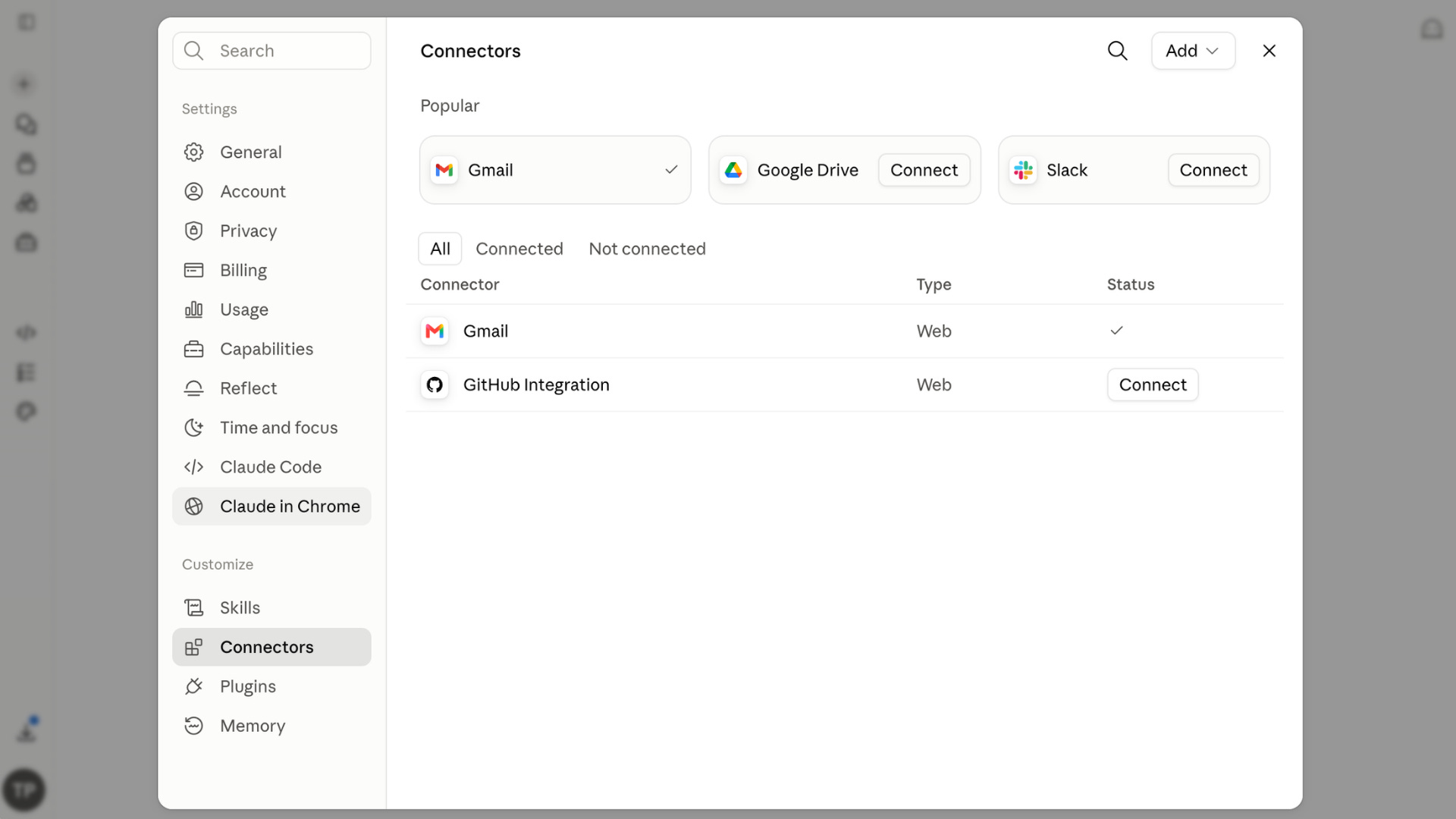
The redundant approval is intentional.
I like seat belts and airbags too.
Meeting memory second
This one changed the usefulness of the system for me.
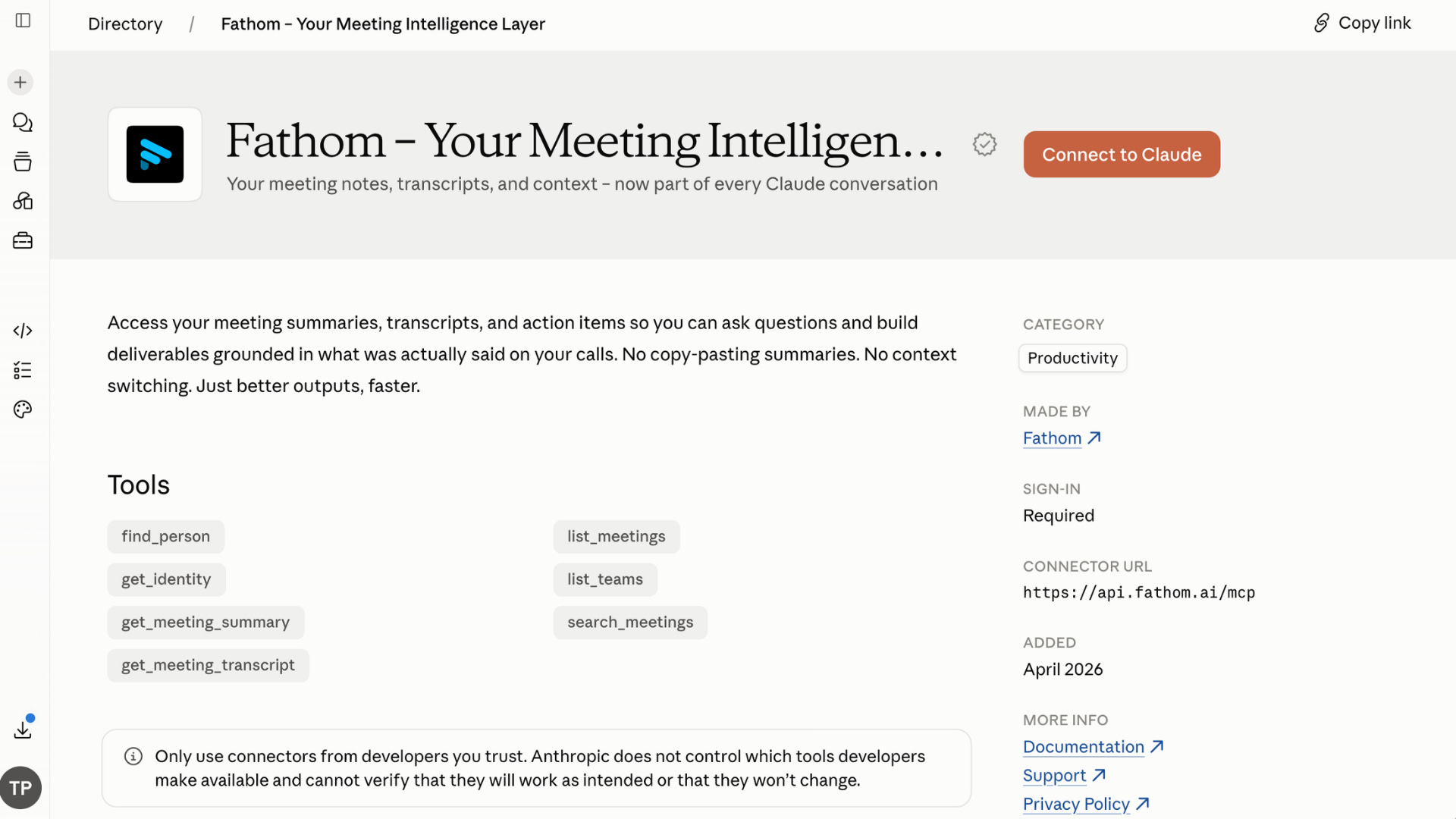
I use Fathom as meeting memory.
Fathom now has an MCP integration specifically for tools like Claude and ChatGPT. It lets those assistants search meetings you already have access to and use that context to create things like follow-ups, briefs, plans, and summaries without manually copying transcripts around.
Granola offers a similar MCP connection for meeting notes and transcripts, with access depending on your plan and workspace configuration.
Once your meetings become searchable context, you can ask questions like:
What did I promise this client?
How did they describe the problem in their own words?
Which objections keep showing up across sales conversations?
What ideas have I repeated in three meetings but never written about?
Where did somebody react strongly to this idea?
That last category is gold.
Your meetings contain years of language you’ve already paid for with your time.
Most of us let it rot in transcript graveyards.
Use whichever meeting system you already trust.
I don’t care who wins the notetaker feature war.
I care whether the conversations become usable.
Documents third
Connect the place where your current plans, proposals, drafts, and research live.
For a lot of people, that’s Google Drive.
Claude’s current Google Drive connector can search and retrieve files, read common document formats, add Drive files to Projects, and save generated files back to Drive when file creation is enabled.
Do not connect your entire digital life on day one.
Start with one folder.
Imagine you hired a thoughtful human assistant this morning.
What folder would you comfortably hand them first?
Start there.
Email last
Email is valuable context wrapped in radioactive material.
It contains:
Private information.
Automated garbage.
Emotional landmines.
Requests designed to hijack your priorities.
Old conversations you forgot existed.
And at least one newsletter you swear you unsubscribed from four times.
So I connect email last.
Claude’s Gmail connector can currently search and read messages, work with labels and threads, and create drafts in Gmail. It cannot send those Gmail drafts on your behalf.
I like that boundary.
Let the machine find the thread.
Let it remember what happened.
Let it prepare the response.
Let the human decide what leaves the building.
I use Superhuman for my email and disable the ability for it to send emails (it can only draft). AI makes mistakes. Plan accordingly.
The guardrails I would not skip
Before I connect personal or company systems, I put something like this into the Project Instructions:
## Action boundaries

You may retrieve, summarize, compare, organize, and draft.

You must receive my explicit approval before you:

- Send or publish anything
- Create, change, or delete a calendar event
- Contact another person
- Delete or move a file
- Change a system of record
- Make a purchase
- Move money
- Submit a form
- Accept terms
- Share private information
- Connect a new service

Never request, store, repeat, or expose passwords, authentication codes, private keys, banking credentials, or account recovery information.

When passengers are present, do not read private emails, confidential meeting details, financial information, health information, or personnel matters aloud.

When uncertain, stop and ask.
I’d also spend five minutes looking at the privacy controls for whichever plan you use.
Anthropic says inputs and outputs from commercial products such as Claude for Work are not used for model training by default. Consumer accounts such as Free, Pro, and Max have separate privacy controls that let users choose whether chats and coding sessions may be used to improve Claude.
And remember that third-party connectors have their own terms and security practices.
The AI might have a beautiful voice.
It is still a new assistant.
Don’t hand the new assistant every key you own on Monday morning.
NOTE: When building agents, having deterministic blockers and hooks is critical.
Turn your car into a content studio
This is where it gets fun.
Most of my best content doesn’t begin with writing.
It starts with me noticing something. Getting annoyed by something. Hearing somebody say a phrase in a meeting. Seeing two things that shouldn’t be connected and wondering if maybe they are.
The car is where those half-formed ideas start talking.
The mistake is asking AI to turn the first thought into a LinkedIn post.
That kills it.
You compress the idea before the idea has earned its shape. You get a competent pile of sentences where there might have been something sharp.
I don’t want AI to write for me. I want it to help me see better before I write.
So I separate the work into stages.
Raw Capture
Use this when you have the beginning of a thought but don’t understand it yet.
Enter Raw Capture.

I am going to speak freely about an idea.

Do not interrupt unless I become completely stuck. Do not outline, summarize, improve, or write content while I am talking.

Listen for:

- Phrases that sound distinctly like me
- Moments where my energy changes
- Stories or examples I mention
- Questions I keep circling
- Claims that need evidence
- Contradictions that may contain the real idea

Wait until I say “Cut the tape.”

Then return:

- A clean transcript
- My five strongest verbatim lines
- The question underneath the idea
- The tension or contradiction
- What still feels generic
- Three directions worth exploring

Do not write the article yet.
Lens Finder
Once you have raw material:
Run Lens Finder on the Raw Tape.

Find the perspective shift that would cause a smart reader to see the problem differently.

Identify:

- The common interpretation
- Why that interpretation is incomplete
- The hidden assumption
- The new lens
- The five-second moment where the idea becomes visible
- The consequence for a founder, operator, or creator
- The action the reader should take differently

Give me three possible lenses.

Make them meaningfully different. Do not give me three rewrites of the same idea.
Story Miner
Once your meeting memory is connected:
Search my connected meetings and Project knowledge for true moments that could support this idea.

Look for:

- A client describing the problem in their own words
- A moment when I changed my mind
- A mistake, conflict, or surprising result
- A repeated pattern across several conversations
- A concrete scene with people, pressure, and consequences

Do not invent dialogue or combine separate events into one story.

For each possible story, provide:

- What happened
- When it happened
- Why it supports the argument
- The exact source
- What details still need verification
This is where accumulated experience starts compounding.
Your meeting archive becomes a private library of stories, language, objections, arguments, failures, and moments when somebody’s energy changed.
That is a much more interesting database than “meeting transcripts.”
Argument Room
Do this before you draft.
Enter Argument Room.

Treat this idea as if it must survive an intelligent, skeptical reader.

Test:

- Whether the central claim is actually new
- Which claims are observations versus facts
- What evidence is missing
- Where I am overstating the case
- What a strong critic would say
- Whether the conclusion follows from the story
- Which part sounds clever but says very little
- What practical value the reader receives

Do not rewrite the idea to make it safer.

Help me make it truer.
End the drive
At the end of any creative session, say:
End the drive.

Create a post-drive work packet containing:

- The cleaned transcript
- My strongest verbatim phrases
- The central lens
- The proposed article thesis
- A narrative outline
- Stories or examples to investigate
- Claims requiring verification
- Questions I still need to answer
- The single best next action

Do not write the final draft unless I explicitly ask.
That last instruction protects the idea from premature polish.
I want the machine helping me excavate before it starts building.
Turn the workflows into real Skills
You can run every prompt above manually.
Once you find yourself repeating one, package it as a named Skill.
Claude’s custom Skills are now available across Free, Pro, Max, Team, and Enterprise plans when code execution is enabled. A Skill can contain a few lines of instructions or a larger package with files, examples, and executable workflows. start with four:
/raw-tape
/lens-finder
/story-miner
/argument-room
Do not build twenty Skills because Skills are exciting.
Build one when you have repeated the same process enough times to know what good looks like.
A Skill should capture judgment, not merely save keystrokes.
My actual stack
The basic version of this system requires almost nothing:
A phone.
Bluetooth or headphones.
A Claude Project.
A good set of Project Instructions.
That’s enough to discover whether voice actually changes the way you work.
The next version adds calendar, meeting memory, a focused document set, and the content workflows above.
My personal setup goes much further. It sits on something called an agent harness and has a bunch of third party connectors that gives it my full context.
My favorite pure conversational voice experience is still ChatGPT.
For custom systems, I also use Vapi to build voice agents that can follow specialized workflows, talk to my own systems, and do things the consumer products aren’t designed to do.
That’s the world Dave’s setup lives in.
I would not begin there.
Technical people have a terrible habit of building the Millennium Falcon before proving they need a bicycle.
Build the stupid-simple loop first:
Talk. Think. Capture. Review.
Use it for a week.
Notice where it helps. Notice where it interrupts you. Notice which questions change your thinking. Notice what you keep having to explain.
Then build around your actual behavior.
A note for the haters: This isn’t about me squeezing work out of every minute
There is a horrifying version of this article where every shower, walk, commute, meal, school pickup, and bathroom break becomes another opportunity to optimize your output. Sounds like a Black Mirror episode, doesn’t it?
Hard pass.
Some drives should have music. Some drives should have silence.
Some drives should contain my five-year-old explaining why Bass Pro Shops have the coolest trucks and boats.
My goal isn’t to remove every idle moment from your life. The lens shift I’m offering is much, much smaller than that.
We assume some periods of the day are “dead time” because the interface we associate with productive work isn’t available.
No keyboard. No giant screens. No desk.
So nothing important can happen.
But your brain never agreed to that arrangement.
Some of the places where we can’t type are exactly where our minds loosen up enough to think.
Walking.
Driving.
Cooking.
Getting coffee.
Staring through a windshield after a hard meeting.
Most productivity systems begin with: How do I get more done?
I think the more interesting question is: Where do I already think well?
Then build an interface around that place for yourself.
For me, that place happens to have four wheels. My car used to be the gap between places where work happened. Now it’s sometimes where I prepare for the work.
Where I process what just happened.
Where I catch the commitment I would have forgotten.
Where I hear the sentence that becomes the article.
Where I find the real problem underneath the one I was busy trying to solve.
And occasionally, where I hear myself think for the first time all day.
You don’t need my command center to try this. On your next drive, don’t ask AI to write something. Or for it to generate ten new ideas. Just start with:
I need to think out loud. Don’t solve it too fast. Help me hear what I actually think.
If you want to go deeper, here are some links for you:
1. Claude Voice Mode — https://support.claude.com/en/articles/11101966-use-voice-mode
2. ChatGPT Apps — https://help.openai.com/en/articles/11487775-connectors-in-chatgpt
3. Claude Projects — https://support.claude.com/en/articles/9517075-what-are-projects
4. Claude Project setup — https://support.claude.com/en/articles/9519177-how-can-i-create-and-manage-projects
5. Claude Google Workspace connectors — https://support.claude.com/en/articles/10166901-use-google-workspace-connectors
6. Fathom MCP — https://help.fathom.video/en/articles/11497793
7. Granola MCP — https://docs.granola.ai/help-center/sharing/integrations/mcp
8. Claude Skills — https://support.claude.com/en/articles/12512180-use-skills-in-claude
9. Anthropic commercial model training policy — https://privacy.claude.com/en/articles/7996868-is-my-data-used-for-model-training
10. Anthropic consumer model-improvement controls — https://privacy.claude.com/en/articles/10023580-is-my-data-used-for-model-training
11. Wispr Flow speed claim — https://wisprflow.ai/use-cases/google-docs
12. Wispr Flow growth + usage — https://wisprflow.ai/post/the-master-plan
13. Wispr six-month voice usage — https://wisprflow.ai/new-funding
14. NHTSA distracted driving — https://www.nhtsa.gov/risky-driving/distracted-driving